
Beyond the Basics: FANUC Panel Sizes Explained
Industrial automation relies heavily on precise control and clear visualization. FANUC offers a diverse range of panel sizes to meet these demands. Specific FANUC panel dimensions cater to various operational needs, from compact displays for basic machine control to large formats for complex system oversight. Understanding these options helps users select the optimal panel size for their applications, ensuring efficient operation and user interaction. For instance, some applications might require integration with specific Fanuc IO Modules.
Key Takeaways
- FANUC offers different panel sizes. These sizes fit various industrial needs.
- Compact panels work for small spaces. They handle basic machine control.
- Mid-sized panels balance screen size and features. They are good for general use.
- Large panels show complex information. They help with detailed monitoring.
- Choose a panel based on how complex your task is. Also, think about what data you need to see.
- Consider operator comfort. A clear screen helps operators work better.
- Check the available space for installation. The panel must fit your machine.
- Plan for future growth. A slightly larger panel can save money later.
Understanding the Range of FANUC Panel Sizes
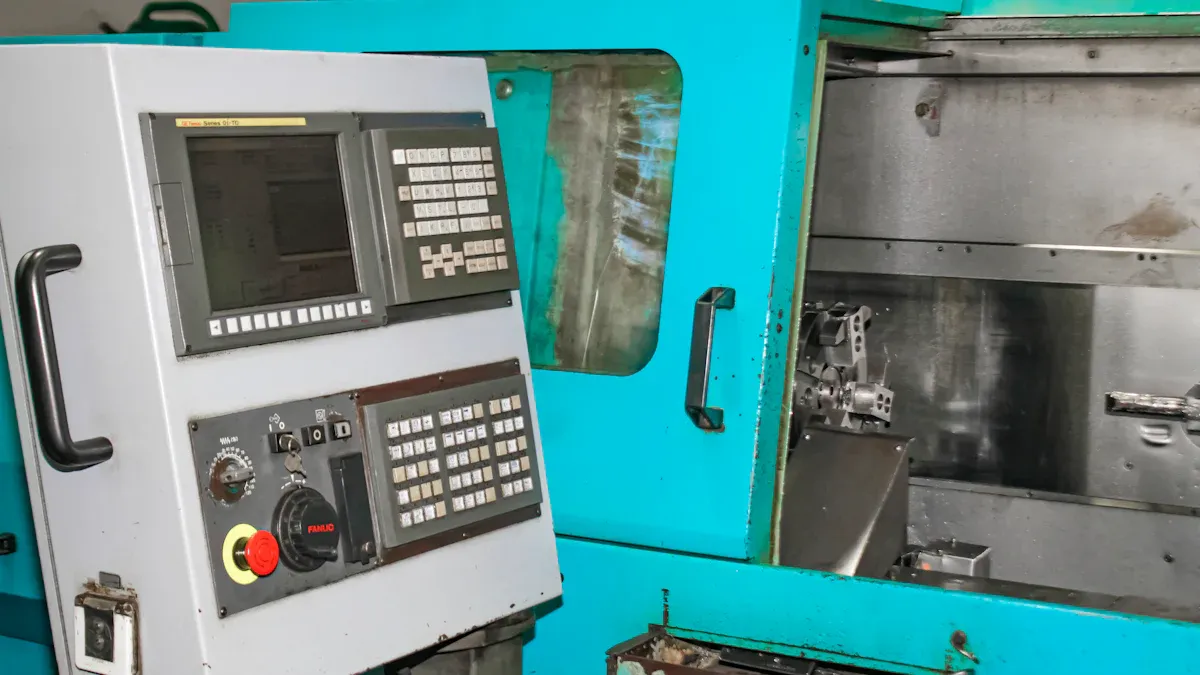
FANUC offers a wide array of panel sizes. These sizes meet the diverse needs of industrial automation. Each category serves specific operational requirements, from simple machine control to complex system management.
Compact FANUC Panels (e.g., 5.7" - 8.4")
Typical Dimensions and Use Cases
Compact FANUC panels provide essential control in tight spaces. Their small dimensions make them ideal for machines with limited panel real estate. Operators often find these panels on single-function machines or auxiliary control stations. They fit well into applications where space is a premium. Examples include small CNC machines, basic assembly lines, or dedicated monitoring points.
Key Features for Basic Operations
These smaller panels focus on simplicity and efficiency. They display critical data clearly. Operators can perform basic input tasks easily. Their design prioritizes cost-effectiveness and straightforward operation. They offer essential functions without unnecessary complexity. This makes them perfect for tasks requiring minimal human-machine interaction.
Mid-Sized FANUC Panels (e.g., 10.4" - 12.1")
Common Dimensions for General HMI
Mid-sized FANUC panels represent a versatile choice for many industrial applications. Their dimensions offer a good balance between screen visibility and physical footprint. These panels commonly serve as general Human-Machine Interfaces (HMIs). They provide enough space to display more information than compact panels. Operators use them for a broader range of control and monitoring tasks.
Balancing Size and Functionality in FANUC Panels
These panels effectively balance screen size with functional capabilities. They allow for more detailed graphical displays and multiple data points. Operators can navigate menus and input commands with greater ease. They support more complex operations than compact units. Yet, they remain manageable for integration into various machine designs. This makes them a popular choice for many manufacturing and process control environments.
Large Format FANUC Panels (e.g., 15" - 21.5" and Above)
Expanded Dimensions for Complex Control
Large format FANUC panels offer expansive screen real estate. These larger dimensions cater to highly complex control systems. They provide ample space for displaying extensive information simultaneously. Operators gain a comprehensive overview of intricate processes. These panels are crucial for applications demanding detailed monitoring and advanced control.
Enhanced Visualization with Large FANUC Displays
These large displays significantly enhance visualization capabilities. They support advanced data visualization tasks. Operators can view multi-trend overlays, showing several data points over time. Color-coded alarm summaries provide immediate visual cues for critical events. Large format FANUC panels, such as the IC752DFT000, excel in industrial automation environments. Real-time monitoring and control are critical in these settings. This includes applications in manufacturing, process control, and energy management. Operators monitor machine performance, input commands, and view key system data in real time. The enhanced clarity and detail improve decision-making and operational efficiency.
Key Considerations for Selecting a FANUC Panel Size
Choosing the right FANUC panel size involves several critical factors. These considerations ensure the panel effectively meets operational demands, supports operator efficiency, and withstands the industrial environment.
Application Complexity and Data Display Needs
The complexity of an application directly influences the required panel size. Different applications demand varying levels of data display.
Simple Machine Control vs. Detailed Diagnostics
Simple machine control often requires only basic information. Operators might need to start, stop, or adjust a few parameters. A compact panel typically suffices for these tasks. Conversely, detailed diagnostics demand much more screen real estate. Engineers need to view multiple data points, trend graphs, and alarm histories simultaneously. A larger panel provides the necessary space for this comprehensive overview. It allows for the display of intricate system schematics and real-time performance metrics.
Requirements for Multiple Data Streams on FANUC Panels
Modern industrial processes often generate numerous data streams. A panel must display these streams effectively for operators to make informed decisions. When an application requires monitoring several sensors, displaying multiple process variables, or showing detailed production statistics, a larger FANUC panel becomes essential. It prevents information overload on a small screen and ensures all critical data remains visible without constant navigation.
Operator Ergonomics and User Interaction with FANUC Panels
Operator comfort and efficiency are paramount. The panel size and design significantly impact these aspects.
Impact on Visibility and Readability
Panel size directly affects visibility and readability. A larger screen generally offers better clarity, especially for complex interfaces. Operators benefit from clear and easily readable fonts with sufficient contrast against the background. Designers should limit the color palette, reserving bright hues for abnormal conditions like alarms. They must ensure consistent color usage throughout the interface. Optimizing the size and spacing of text and control elements maximizes visibility and ease of use. Strategic use of graphics can enhance visual communication, but designers should avoid excessively large or numerous graphics that hinder performance. For instance, line graphs with trending functions offer intuitive interpretation of data.
Optimizing Ease of Use and Comfort
An intuitive user interface enhances operator comfort and reduces errors. FANUC panels often feature user-friendly navigation menus, touchscreen functionality, and customizable display options. These features allow quick access to information and command execution. The interface should include selectable and non-selectable buttons, saliences, and dialog boxes. Buttons should be large enough for easy selection on touchscreens, ideally with a minimum of 1.5 cm on the shortest side, and provide clear visual indicators for their state. Customizable screens allow users to create their own Human-Machine Interface (HMI) layouts. This flexibility, combined with features like multi-window display and visual jog for confirming motion paths, significantly improves ease of operation and minimizes fatigue during prolonged use.
Physical Installation Space and Environmental Factors
The physical environment and available space dictate panel selection.
Constraints of Machine Integration
Machine design often imposes strict constraints on panel size. Engineers must consider the available mounting space on the machine or control cabinet. A panel that is too large simply will not fit. They also need to account for cable routing and ventilation requirements. Sometimes, a smaller panel is the only viable option due to these physical limitations. Careful planning during the machine design phase helps avoid costly modifications later.
Durability Requirements for FANUC Panels
Industrial environments are harsh. Panels must withstand various environmental factors to ensure longevity and reliable operation. Key factors include temperature, humidity, vibration, and dust. High ambient temperatures within crowded panels can reduce the lifespan of components. Dust can infiltrate and damage internal electronics. Constant vibration from machinery can loosen connections or crack components. Therefore, panels must have appropriate ingress protection (IP) ratings against dust and liquids. They also need robust construction to endure mechanical stress. Employing environmental control measures, such as cooling systems or vibration dampeners, helps ensure optimal performance and longevity of the panel.
Budgetary Constraints and Future Scalability of FANUC Systems
Financial planning plays a crucial role in selecting industrial equipment. Businesses must balance immediate costs with future needs. This includes considering the initial investment and the potential for system expansion.
Initial Investment vs. Long-Term Value
The initial cost of a FANUC panel can vary significantly based on its size and features. A smaller, basic panel typically requires a lower upfront investment. However, decision-makers must look beyond this immediate expense. They should evaluate the long-term value a panel provides. Retrofitting existing systems, for example, significantly reduces maintenance costs. It avoids the hidden expenses of sourcing obsolete components for older systems. These older parts often lead to longer downtime and production losses. Modern FANUC parts, including updated operator panels, offer clear upgrade paths. The 'Panel i Replacement Program' specifically helps upgrade legacy grinders.
A CNC retrofit extends the functional lifespan of a machine. This saves substantial long-term costs. Modern digital controls enhance reliability. They drastically reduce downtime compared to repairing obsolete components. New digital drives also regenerate electrical energy. Combined with low-loss power devices, machine electricity costs can decrease by as much as 50%. Therefore, a higher initial investment in a robust and modern panel often translates into significant savings and improved operational efficiency over the machine's lifetime.
Planning for Potential System Expansion
Considering future scalability is another vital aspect of panel selection. Industrial operations often grow and evolve. A panel chosen today should accommodate tomorrow's demands. Selecting a panel with slightly more capacity or a larger screen than currently needed can prevent costly upgrades later. This foresight allows for the integration of new sensors, additional data streams, or more complex control algorithms without replacing the entire HMI.
Planning for expansion supports business growth. It also allows for the adoption of new technologies. A scalable system offers flexibility. It ensures the control interface remains relevant and efficient as operational requirements change. This strategic approach maximizes the return on investment. It also minimizes disruptions during future system enhancements.
Specific FANUC Panel Series and Their Size Offerings
FANUC provides several distinct panel series. Each series offers specific sizes and features. These panels meet various industrial automation needs.
FANUC Panel i Series Sizes
Available Dimensions (e.g., 10.4", 15")
The FANUC Panel i Series offers robust and reliable display solutions. Common sizes include 10.4 inches and 15 inches. These dimensions provide clear visibility for many control tasks.
Typical Applications for FANUC Panel i
The Panel i series is highly versatile. It often upgrades older industrial PCs to Windows 10 IoT Enterprise. This upgrade provides faster, more reliable, and more secure operations. It also enables IIoT advantages by connecting CNC machines to a network. This is especially useful for CNCs running on outdated operating systems. These older systems often lack current security updates. The Panel i series works with FANUC Series 30i-B or B-Plus CNCs. It also integrates with 0iF Plus (Type 0) CNCs. Users can integrate it with iHMI systems. The Windows 10 IoT Enterprise operating system allows for custom software applications. Two expansion slots enable integration of custom hardware for special applications.
FANUC iHMI Series Panel Sizes
Available Dimensions (e.g., 10.4", 15", 19")
The FANUC iHMI Series provides an intuitive interface. It comes in sizes like 10.4 inches, 15 inches, and 19 inches. These panels enhance user interaction with CNC machines.
Ideal Use Cases for FANUC iHMI
The iHMI series offers many advanced functions. Its 'Planning Functions' provide accurate cycle time estimations. These estimates are within 5% accuracy. They process CAD/CAM programs quicker. This leads to better planning and greater efficiency. The Tool Manager imports machine tool data. It monitors usage and lifespan. This helps set tool offsets, create machining simulations, and prevent collisions. A redesigned CNC operation screen reduces navigation between multiple screens. Packaged cycle commands simplify standard operation setup. Users can review, edit, or write G-code. They can adjust setup parameters like tool positioning or length compensation. It also allows monitoring process parameters such as feed spindle speeds. Powerful simulation capabilities are included. These include animated and tool track renderings. They help prove out programs and cycles. The Servo Viewer displays waveform graphs of key operating data. This includes feed axis position/speed and spindle torque. It helps optimize cutting conditions and shorten cycle times. The Maintenance Manager monitors CNC component performance. It sends alerts if a component nears its end-of-life. These alerts link to operator manuals with repair instructions. This leverages IIoT benefits for predictive maintenance.
FANUC Panel iH Pro Industrial PC Sizes
Available Dimensions (e.g., 10.4", 15", 19", 21.5")
The FANUC Panel iH Pro Industrial PC offers robust computing power. It is available in sizes such as 10.4 inches, 15 inches, 19 inches, and 21.5 inches. These larger sizes support complex industrial computing needs.
Advanced Features of FANUC Industrial PCs
The Panel iH Pro series combines a display with a powerful industrial PC. It handles demanding applications. These panels offer higher processing power and more storage. They provide greater flexibility for complex tasks. Users can run advanced software or multiple applications simultaneously. This makes them suitable for data-intensive operations. They also support extensive connectivity options. This ensures seamless integration into factory networks.
Optimizing FANUC Panel Selection for Performance
Choosing the right FANUC panel involves more than just size. It requires careful consideration of performance factors. These factors ensure the panel integrates seamlessly with existing systems and enhances operational efficiency.
Matching Panel Size to Control System Requirements
The panel must work well with the machine's brain. This ensures smooth operation and effective control.
Compatibility with FANUC CNC Controllers
A chosen panel must be compatible with the specific FANUC CNC controller. Different controllers support various display interfaces and communication protocols. Engineers confirm the panel's interface matches the controller's output. This ensures proper data exchange and display functionality. Correct compatibility prevents installation issues and guarantees full system integration.
Ensuring Adequate Processing Power
The panel's internal processing power is crucial. Complex applications with many graphics or real-time data streams demand more power. A panel with insufficient processing power can lead to slow response times. This frustrates operators and reduces efficiency. Engineers select panels with enough processing capability to handle current and future software requirements.
Display Resolution and Clarity for FANUC Panels
Clear visuals are essential for operators to understand machine status and data. High resolution directly impacts this clarity.
Importance for Detailed Graphics and Text
FANUC displays feature high-quality LCD or LED screens. These screens deliver sharp images and clear text. This ensures crisp and clear visuals for detailed monitoring. This clarity is vital for operators. They effectively view machining processes and system data. This is especially true in precision industries like aerospace and automotive manufacturing. For example, the FANUC A08B-0086-B064 Panel i Display has a 10.4-inch SVGA panel. It offers crisp image resolution for detailed visuals. The FANUC A08B-0086-D533 is another high-resolution 10.4-inch SVGA Panel i Display. It provides superior SVGA resolution for advanced visual clarity. Even older units like the FANUC A61L-0001-0094 CRT Unit offer a 592 x 432 dots matrix resolution. This ensures a high level of detail for graphical representations and faithful reproduction of intricate CNC schematics and toolpaths.
Impact on Operator Efficiency
Improved screen visibility directly boosts operator efficiency. LCD retrofits offer much clearer image display for the operator. LCD images do not fade over time. They also make screen burn, often associated with older CRTs, a thing of the past. Clearer displays reduce eye strain and the chance of misinterpreting data. This leads to fewer errors and faster decision-making.
Touchscreen Technology in FANUC Panels
Touchscreen technology offers intuitive interaction. Its performance depends on responsiveness and durability.
Single-Touch vs. Multi-Touch Options
FANUC panels offer both single-touch and multi-touch options. Single-touch screens respond to one point of contact at a time. They suit simpler operations. Multi-touch screens recognize multiple points of contact simultaneously. This allows for gestures like pinching to zoom or swiping. Multi-touch enhances user interaction for complex interfaces.
Responsiveness and Durability
Several factors contribute to touchscreen responsiveness. These include different touch technologies, such as resistive or capacitive. The sensitivity of these technologies, display quality (resolution, brightness), and processing power also play roles. For durability, FANUC panels use high-performance materials. These include tempered glass, industrial-grade plastics, and robust metal alloys. Sealing and gasket materials, along with high IP ratings (like IP65), protect against dust and liquids. Wide operating temperature ranges, chemical resistance, and vibration/shock tolerance ensure longevity in harsh industrial settings. Electromagnetic interference (EMI) shielding further protects internal components.
Practical Guide to Choosing Your FANUC Panel
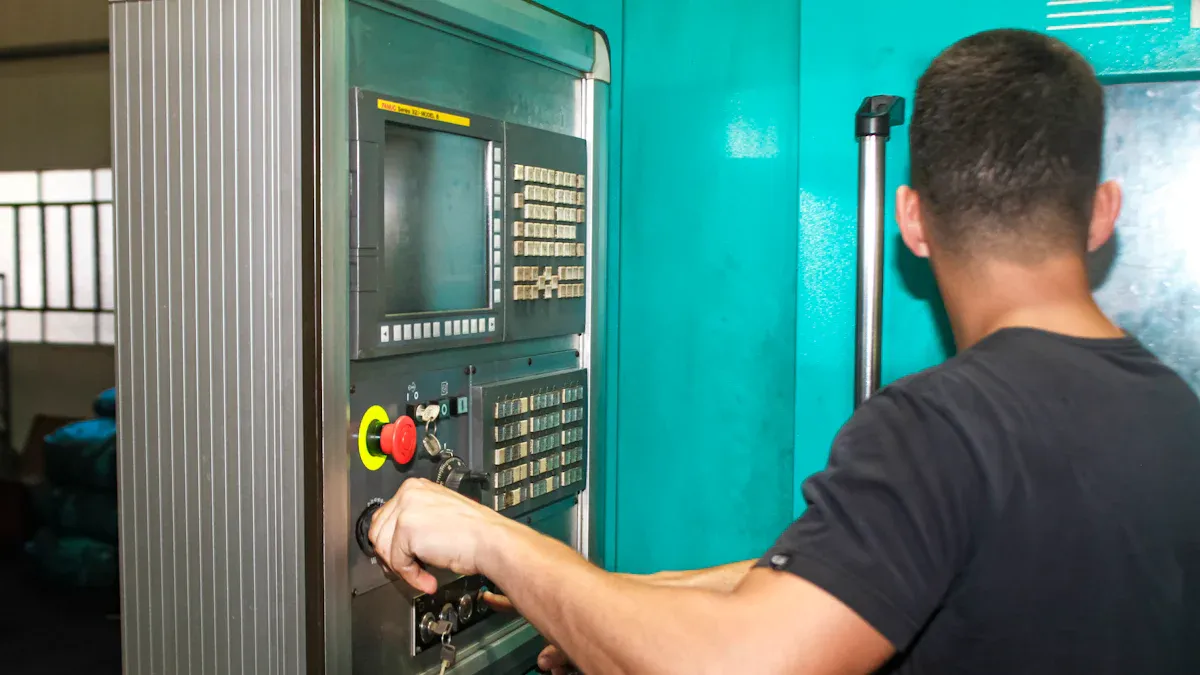
Selecting the ideal FANUC panel requires a systematic approach. This ensures the panel meets all operational and user requirements. A careful evaluation of application demands and operator needs guides the decision.
Step-by-Step Selection Process
Assessing Application Demands
First, assess the specific needs of the application. Consider the complexity of the control system. Does the machine perform simple tasks or intricate, multi-axis operations? Determine the amount of data requiring display. Simple machines need less screen space. Complex processes demand larger panels for detailed diagnostics and multiple data streams. Evaluate the environmental conditions. Will the panel face dust, moisture, vibration, or extreme temperatures? This assessment helps determine the necessary durability and ingress protection (IP) rating.
Evaluating Operator Needs
Next, consider the operators who will interact with the panel. How far away will they typically stand from the screen? This impacts the required screen size and resolution for readability. Do operators need touch interaction, or will physical buttons suffice? Touchscreen technology offers intuitive control. Evaluate the operators' skill levels. A user-friendly interface with clear graphics and intuitive navigation enhances efficiency. Prioritize comfort and ease of use to minimize fatigue during long shifts.
Consulting with FANUC Experts
Engaging with experts provides invaluable guidance during the selection process. Their knowledge ensures optimal choices.
Leveraging Manufacturer Support
Leverage the extensive support available from FANUC and its authorized partners. Companies like DingYan Machinery specialize in CNC controller spare parts and comprehensive solutions. They work with official agents to ensure original parts. Their expertise covers a wide range of global brands, including FANUC. These experts understand the nuances of different panel series and their compatibility with various CNC controllers. They can provide insights into processing power, display resolution, and touchscreen technologies. DingYan Machinery offers all parts for famous CNC controller brands. They provide support for systems, motor modules, servo drivers, encoders, and display units.
Custom Solutions for Unique Requirements
Sometimes, standard panel offerings do not perfectly fit unique application requirements. In such cases, consulting with experts helps explore custom solutions. DingYan Machinery, for example, cooperates with over 100 suppliers. They can provide support for various brands and specific needs. They can help identify or even develop tailored configurations. This ensures the panel integrates seamlessly and performs optimally for specialized tasks. DingYan Machinery aims to be a one-stop CNC machine tool accessories supplier. They offer dependable and high-quality parts. Their strict service standards make them a professional provider. They can provide pricing within 24 hours for specific items.
Selecting the correct FANUC panel size is critical for operational efficiency. Businesses must consider application demands, operator needs, and environmental factors. This leads to informed decisions. Understanding the diverse range of FANUC panel sizes ensures optimized performance and user experience in industrial automation. This careful selection process maximizes productivity and enhances operator satisfaction. It also supports long-term system success.
FAQ
What are the typical sizes for compact FANUC panels?
Compact FANUC panels usually range from 5.7 to 8.4 inches. They fit well in small spaces. Operators use them for basic machine control tasks.
How does application complexity affect panel size choice?
Complex applications need larger panels. They display more data, detailed graphics, and multiple information streams. Simple controls work well with smaller panels.
Which FANUC panel series offers the largest displays?
The FANUC Panel iH Pro Industrial PC series offers the largest displays. Sizes go up to 21.5 inches. These panels suit advanced industrial computing needs.
Why is display resolution important for FANUC panels?
High resolution provides clear graphics and text. This helps operators read data easily. It reduces eye strain and improves decision-making on the factory floor.
Can I upgrade an older FANUC panel to a newer model?
Yes, FANUC offers upgrade programs. For example, the Panel i Replacement Program helps upgrade legacy systems. This improves reliability and security for machines.
What environmental factors should I consider when selecting a panel?
Consider dust, moisture, vibration, and temperature. Panels need appropriate IP ratings and robust construction. This ensures durability in harsh industrial settings.
What is the difference between single-touch and multi-touch panels?
Single-touch panels respond to one contact point. Multi-touch panels recognize several points at once. Multi-touch allows gestures like zooming, enhancing complex interactions.